
Time saved
Manual credential entry adds minutes per login session and can total significant hours monthly across a team.
Uniqkey’s Autofill Extension helps employees sign in faster and more securely. It recognises real world login flows, fills credentials locally in the browser, and supports verification steps like one time passwords. Built for European organisations that need control, compliance, and confidence.

.svg)

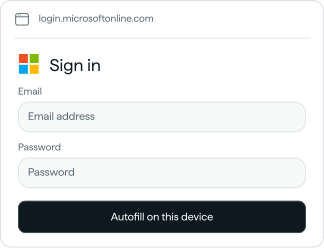

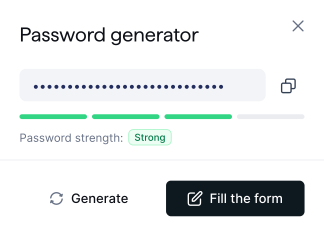
Choose a login, try local autofill, or generate and fill an example password.


Manual credential entry adds minutes per login session and can total significant hours monthly across a team.
Manual credential entry adds minutes per login session and can total significant hours monthly across a team.
Less copy paste and fewer manual handoffs reduces everyday credential exposure during sign in.
Fewer failed sign ins means fewer password reset tickets and less time spent on access issues.
Most login pages are no longer a simple email and password box. When autofill fails, employees revert to copy paste, reuse passwords, or store credentials in unsafe places.
Uniqkey’s Autofill Extension uses our proprietary AI to reduce friction, eliminate errors, and keep things simple for everyone, without your data ever being shared with AI. It’s designed the way enterprises and modern businesses actually need.
Employees log in with minimal typing and fewer failed attempts. Less friction means fewer support tickets and smoother daily work

Autofill runs locally in the browser, so credentials are filled directly on the page. Any data stored or synced for admin visibility is encrypted, ensuring IT teams get oversight without exposing sensitive information.

Works across real sign in journeys, including multi step flows, verification prompts, and complex form structures used in business software.

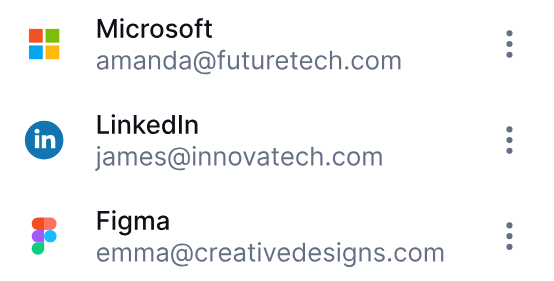
When a site changes its login flow, your team should not have to wait for a browser extension update. Uniqkey runs its detection logic server-side, so most issues can be corrected and improved instantly, without pushing a new extension.


The Autofill Extension is built to support enterprise security standards without compromising usability. It reduces credential exposure by removing manual handling, while keeping organisations in control of access behaviour across the business. Give employees an experience they will actually use, and give IT the control they need. Uniqkey’s Autofill Extension helps you reduce friction and strengthen access security across the services your business relies on.
Local autofill to reduce credential exposure during everyday logins
Supports strong password practices by making long unique passwords easy to use
Helps reduce risky workarounds like copy paste and personal storage
Built for European buyers who prioritise sovereignty and jurisdictional control
Yes. It supports one time codes and common verification flows so users can complete sign in quickly and securely.
Autofill happens locally in the browser. Field values remain on the page during the fill action.
AI is used behind the scenes to continuously improve Autofill not to make live decisions in the browser. When an issue occurs, Uniqkey captures detailed diagnostics and uses AI to analyse what went wrong and generate improvements. These updates are then applied to the detection logic and rolled out server-side. This means faster fixes, fewer edge case failures, and a more consistent Autofill experience without compromising on control or security.
No. Uniqkey does not use your stored passwords or sensitive data in any AI systems. When Autofill issues are analysed, only technical diagnostics related to the login flow (such as page structure and field signals) may be processed to understand what went wrong. This data is handled securely and does not include your credentials. AI is used only to assist in improving detection logic never to access, store, or process your sensitive information
It is designed for web based services and cloud apps accessed in the browser. It complements your SSO coverage by improving the experience where credentials are still required.
It reduces manual handling of credentials, supports stronger password practices, and aligns with the needs of European organisations that prioritise control and sovereignty.
Users can report the issue directly from the extension. Our team can roll out detection improvements quickly through server-side updates, restoring compatibility without requiring an extension update.
